


Govee Home
4.05.91K Reviews
App Specs
- Version
- 7.6.10
- Updated On
- License
- Free
- Downloads
- 5,000,000+
- Developer
- Govee
- Categories
- Tools
- Platform
- Android, iOS
Screenshots
 Analysis by AppCompare
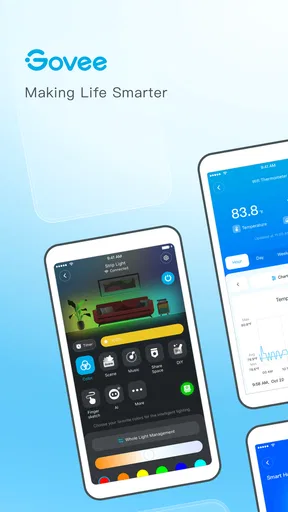
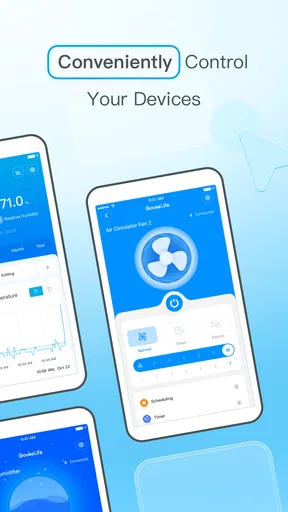
I spent time with Govee Home as a practical control center for Govee smart devices, and my overall impression is straightforward: it is most useful when your home already contains several products from the same ecosystem. Instead of treating each light or connected accessory as a separate gadget, the app gives you one place to manage them, adjust settings, and build a more consistent routine.
That focus matters when choosing a smart-home app. I would not judge it only by how attractive the interface looks or by how quickly one device responds. The more important questions are whether it fits the products you own, whether daily controls are easy to reach, and whether the app saves time rather than creating another layer of work. In my experience, Govee Home makes the strongest case for people who want a dedicated companion for Govee equipment, while users with a mixed-brand home may prefer a broader platform.
What I would check before installing it
The first decision is compatibility. Govee Home is developed by Govee, so its natural role is managing Govee smart devices rather than acting as a universal remote for every connected product in a home. If your main lights, strips, or other accessories come from Govee, that concentration is a benefit. If you are trying to bring several unrelated brands into one dashboard, I would compare it carefully with a platform designed around cross-brand control before moving everything over.
The app is free, which makes testing it relatively easy. It is listed for Everyone, and it runs on Android 9 or later. Those details make it accessible for many ordinary phones, although I would still check the operating system on an older spare device before planning to use that phone as a permanent controller. The current version is 7.6.10, so the experience may continue to change as Govee refines the app and adds support for its product range.
Its store presence also suggests that this is not a niche utility used only by a handful of owners. Govee Home has passed five million installs and holds a 4.0 average from around twenty-eight thousand ratings, with roughly five thousand nine hundred written reviews. I see those figures as useful context rather than a guarantee. A smart-device app can feel excellent with one product and cumbersome with another, so my own decision would still begin with the exact Govee devices I need to control.
The everyday test is more important than the first launch
When I evaluate a companion app, I pay attention to the actions I repeat without thinking. Can I find a device quickly? Can I make a small adjustment without navigating through several unrelated screens? Can I return to a preferred setup after experimenting? These questions matter more than a polished welcome screen because smart lighting and connected accessories are usually used in short moments throughout the day.
A realistic example is an evening at home. I might want the living-room lighting changed before watching a film, then switch to a brighter setup when reading, and finally turn things down before going to bed. Govee Home is appealing in that situation because it keeps the controls for compatible Govee products in one ecosystem. The value is not one dramatic feature; it is the reduced need to remember which separate app controls which device.
Worth Reading Before You Choose

EA SPORTS FC Mobile 26 Is a Bigger Football Game, but It Takes Time

Flipboard Shows What News Apps Must Do Beyond the Feed

Switching to Android Auto Means Rethinking Your Driving Routine

Google Calendar Makes a Crowded Week Easier to Manage

Ludo King Makes the Most of the Minutes Between Plans

Baby Panda World Brings Quick Play to Modern Phones, but Its Game Library Feels Busy
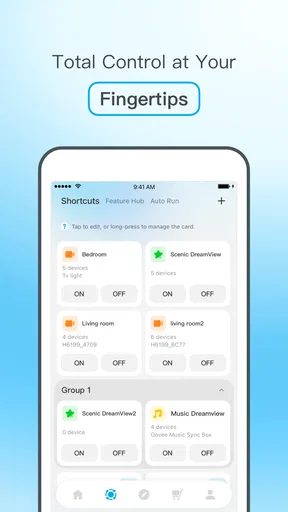
Another useful scenario is a room with several Govee products that should feel coordinated. A single device app can be frustrating when every item is adjusted independently. With an ecosystem-focused controller, I can think in terms of the room or routine instead of treating every light as an isolated purchase. That is the kind of workflow where I would expect the app to earn its place on my phone.
Why the Govee-only focus can be a strength
Many people assume that a broader smart-home platform is automatically better. That is not always true. A general platform may cover more brands, but it can also make brand-specific controls less direct. Govee Home starts from a narrower purpose: managing Govee products. For an owner who has deliberately chosen that ecosystem, the narrower scope can make the app feel more relevant than a universal dashboard filled with controls for devices they do not own.
This is especially important when a product has settings that are more detailed than a basic on-and-off command. A generic controller may handle the simplest action while leaving the manufacturer’s app necessary for deeper adjustments. Keeping Govee Home available can therefore be sensible even if I use another service for broader household routines. I would treat it as the specialist tool and a universal platform as the general organizer, rather than forcing one app to do every job.
That approach also reduces a common source of confusion: trying to troubleshoot a device through an app that does not expose its full control set. When something behaves unexpectedly, returning to the manufacturer’s own application gives me a clearer place to check the device and its available settings. I would not assume that a third-party alternative can replace that role completely.
Small workflow habits that make it easier to live with
One practical tip is to organize the app around how I use rooms, not how I purchased products. If several devices serve one space, I would give them clear, human-friendly names and keep related controls together wherever the app allows it. This sounds minor, but it becomes valuable once a home contains multiple similar lights or accessories. A descriptive name is faster to recognize than trying to remember which device was added first.
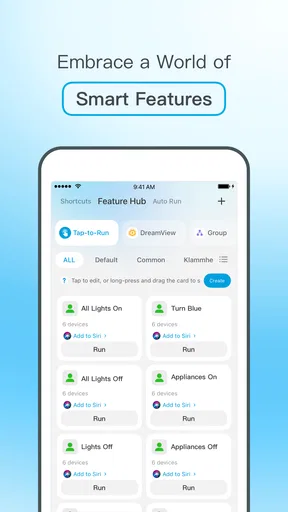
I would also avoid making every adjustment from scratch. After finding a lighting arrangement that works for a regular activity, I would look for a way to preserve or reuse that setup within the app rather than rebuilding it each evening. The exact options can depend on the connected product, but the principle is useful: treat repeated actions as routines, not one-off experiments. This is one of the clearest ways a device-management app can save time.
A second tip is to test changes while standing in the room where the device is installed. It is easy to create a setting that looks sensible on a phone but feels too bright, too dim, or poorly balanced in the actual space. I prefer making one change at a time, checking the result, and then keeping only what improves the room. That habit prevents a long list of confusing configurations that I later have to untangle.
For households with more than one person, I would agree on simple naming and routines before adding lots of custom setups. A control system is easier to share when everyone understands which device belongs to which room and what a saved arrangement is intended to do. This is not a glamorous feature, but it is a real difference between a smart-home setup that stays useful and one that only its original installer can operate.
Where it fits better than the usual alternatives
Compared with controlling each Govee product separately, Govee Home is the obvious improvement because it gives me a central place for the ecosystem. The benefit grows as the number of compatible devices increases. With just one simple accessory, the app may feel like an extra step. With several products, the shared environment becomes more worthwhile because I am less likely to switch between disconnected controls.
Compared with a phone’s basic device controls, the manufacturer’s app is also the more logical place to explore product-specific behavior. Basic system controls are convenient for quick actions, but they are not designed around one brand’s entire range. I would use them when speed matters and Govee Home when I need a fuller view of the devices I own.
Compared with a universal smart-home platform, the choice depends on priorities. A broad alternative may be a better fit for someone who owns products from many manufacturers and wants one household-wide command system. It may also be preferable when the main goal is combining unrelated devices into larger automations. I would not move to Govee Home expecting it to replace every general-purpose smart-home service.
On the other hand, a universal option can be excessive for someone whose home is already centered on Govee. More integrations do not automatically mean a better daily experience. If I mainly need reliable access to Govee devices, the dedicated app may involve less searching and fewer compromises. The right choice is therefore not “specialist versus universal” in the abstract; it is whether my actual device collection is concentrated enough for the specialist approach to pay off.
When I would choose something else
I would hesitate to make Govee Home my main smart-home app if my household is built around several unrelated brands and I strongly prefer one combined interface. In that case, I would first investigate a platform whose central purpose is cross-brand management. I might still keep Govee Home installed for device-specific tasks, but I would not expect it to be the only app I need.
I would also reconsider it if I only owned one Govee device and rarely changed its settings. Installing a dedicated companion app can still be necessary, but the broader organizational benefits may be limited. For an occasional user, the extra app may feel less valuable than it does for someone managing multiple rooms or frequently adjusting scenes and routines.
Another trade-off is dependence on the manufacturer’s ecosystem. Staying with the app is easiest when future purchases also make sense within Govee’s range. If I want maximum flexibility to mix brands over time, I would make that long-term preference part of the decision now rather than discovering later that my setup is split across several control systems.
The real cost of switching
Because the app is free, the main cost of changing to it is not the download itself. It is the time spent arranging devices, learning the layout, naming products, and rebuilding the routines that make a smart home feel personal. That setup effort is easy to underestimate. If my current system already works well, I would switch only for a clear reason, such as needing better Govee-specific control or wanting to consolidate several compatible products.
Before changing an established setup, I would make a short inventory of the devices I use most, the routines I repeat, and the controls other people in the home rely on. Then I would add the most important items first instead of trying to reorganize everything in one session. This staged approach lets me judge whether the app genuinely improves my routine before I spend time recreating every detail.
I would also keep expectations realistic about migration. A routine built in one smart-home platform may not translate perfectly into another because different apps organize devices and actions in different ways. Even when the end result is possible, the steps can feel different. My advice is to treat the move as a small project: test one room, confirm that the daily controls make sense, and only then expand.
The free price makes that cautious trial easier. I can evaluate whether Govee Home reduces friction without committing money to the experiment. Still, free does not mean costless in practical terms. My time, attention, and household habits are part of the equation, and an app that adds complexity is not a good bargain simply because there is no purchase price.
My recommendation for different kinds of users
I recommend Govee Home most confidently to people who own several Govee smart devices or expect to build around that brand. For them, the app’s greatest strength is concentration: compatible products live in one place, room-based management becomes easier to imagine, and the manufacturer’s own control layer is available when a simpler alternative does not go far enough.
I also think it is a sensible starting point for someone buying a first Govee device and wanting to understand the ecosystem before adding more. The fact that it is free removes an obvious barrier, while the Everyone rating and Android 9 minimum make it approachable for many users. I would begin with one room, use clear names, and judge the app by repeated tasks rather than by the number of options visible on the first day.
For a mixed-brand household, my recommendation is more cautious. I would install it as the Govee-specific companion, but I would compare it with a broader platform before making it the center of the entire home. This is not a criticism of the app; it is a question of scope. A specialist tool can be excellent at its intended job and still not be the best universal answer.
My final view is that Govee Home succeeds when I use it for what it is: a dedicated management app for Govee smart devices, not a promise to simplify every connected product I may ever buy. Its free access, established user base, and focused purpose make it worth trying for Govee owners. The deciding factor is not how many smart devices you have, but how many of them you want to manage inside the Govee ecosystem. If that number is growing, I would keep it installed. If your priority is one neutral control center for many brands, I would look at broader alternatives first and use this app only where its manufacturer-specific role adds real value.
Pros
- Supports many Govee smart devices from one central app.
- Scenes and automations make coordinated lighting easy.
- Color effects are highly customizable and responsive.
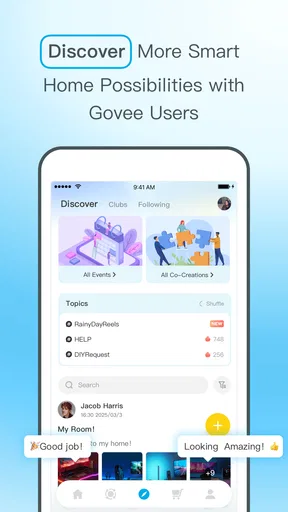
- Community sharing provides plenty of lighting ideas.
- Device status and controls are accessible remotely.
Cons
- Some advanced features require compatible Govee hardware.
- The app can feel crowded because of its many sections.
- Account creation may be needed for full functionality.
- Community content quality varies considerably.
- Notifications may become excessive without careful settings.
FAQs for Govee Home
What is Govee Home used for?
Govee Home is the companion app for managing compatible Govee smart-home products, including LED light strips, bulbs, lamps, temperature sensors, hygrometers, and other devices. After pairing your products, you can adjust settings, create schedules, build scenes, monitor sensor readings, and control several devices from one place. The exact features available depend on the Govee product you own and its connection type.
Is Govee Home compatible with all Govee devices?
The app supports a wide range of Govee products, but compatibility is not identical across the entire catalog. Some devices connect through Bluetooth, while others use Wi-Fi or Bluetooth together and may offer additional remote-control features. Before downloading, check your product’s packaging, manual, or official product page to confirm that it works with Govee Home and whether your phone meets the required Android or iOS version.
Can I control Govee devices when I am away from home?
Remote control is generally available for Govee devices that support Wi-Fi and have been connected correctly to your home network through Govee Home. Bluetooth-only products usually need your phone to remain within range. During testing and everyday use, remote access can also depend on a stable internet connection, the device being online, and the Govee service operating normally, so it should not be treated as guaranteed at all times.
Does Govee Home work with Alexa, Google Assistant, or other smart-home platforms?
Many compatible Govee products can be linked with services such as Amazon Alexa or Google Assistant, allowing basic voice commands like switching lights on, changing brightness, or selecting colors. However, integration varies by model, region, and connection method. Some advanced effects and device-specific controls may remain available only inside Govee Home. You may also need to sign in to the relevant assistant and authorize account linking.
Is Govee Home free, and does it require an account?
Govee Home is generally available as a free download, and the core app does not normally require a separate subscription for standard device setup and control. An account may be requested for cloud features, remote access, synchronization, sharing, firmware updates, or community functions. The app can also request permissions such as Bluetooth, local network, notifications, and location-related access, depending on your phone and the products being paired.


